
TABLE OF CONTENTS
Purpose
Helps candidates troubleshoot when they haven’t received a token.
Who This Applies To
Candidates who have been asked to complete tasks in WorkPro.
Content
You will not be able to complete any tasks in WorkPro without a Token, and WorkPro cannot issue you a new Token directly
You will receive a Token either by text or email, or verbally provided to you by your employer/Recruitment Agency.
If you have not received a Token by the company that asked you to complete WorkPro, you will need to contact them as they need to issue you a Token. It is also a good idea to confirm the email address and phone number the company has on file.
Please check if you received the invitation (be sure to check your spam folder) by searching for:
- In Australia: no-reply@workpro.com.au
- In New Zealand: no-reply@workpro.net.nz
- SMS (optional): "WorkPro" as the sender
Further Troubleshooting
If the Invitation Isn’t in Your Email or SMS:
Search your email for the employer’s name or “WorkPro”.
Ask the employer to resend the invitation.
If you still can’t find it after verifying your contact details, you can contact WorkPro Support at info@workpro.com.au to confirm if the request was sent. Our team can provide you with the Token issued by your employer/Recruitment Agency.
If we do not find an existing request associated with your details, WorkPro cannot generate a new Token for you.
More Context
- You will not be able to complete any tasks in WorkPro without a Token, and WorkPro cannot issue you a Token.
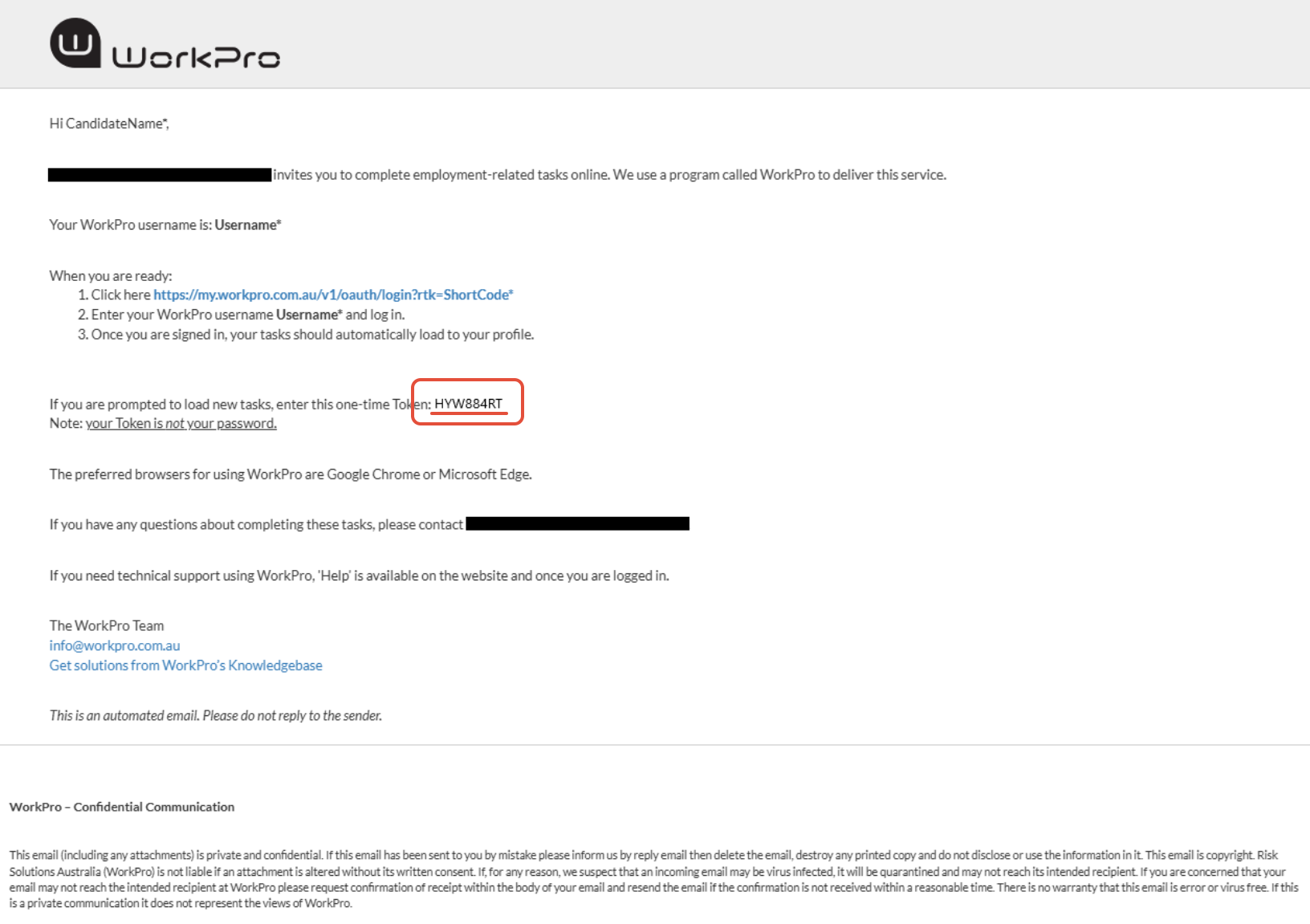
Example email with Token below:
Related Articles
- How do I sign up to WorkPro?
- What is a WorkPro Token and how do I use it?
- I've logged in successfully but can't see any tasks