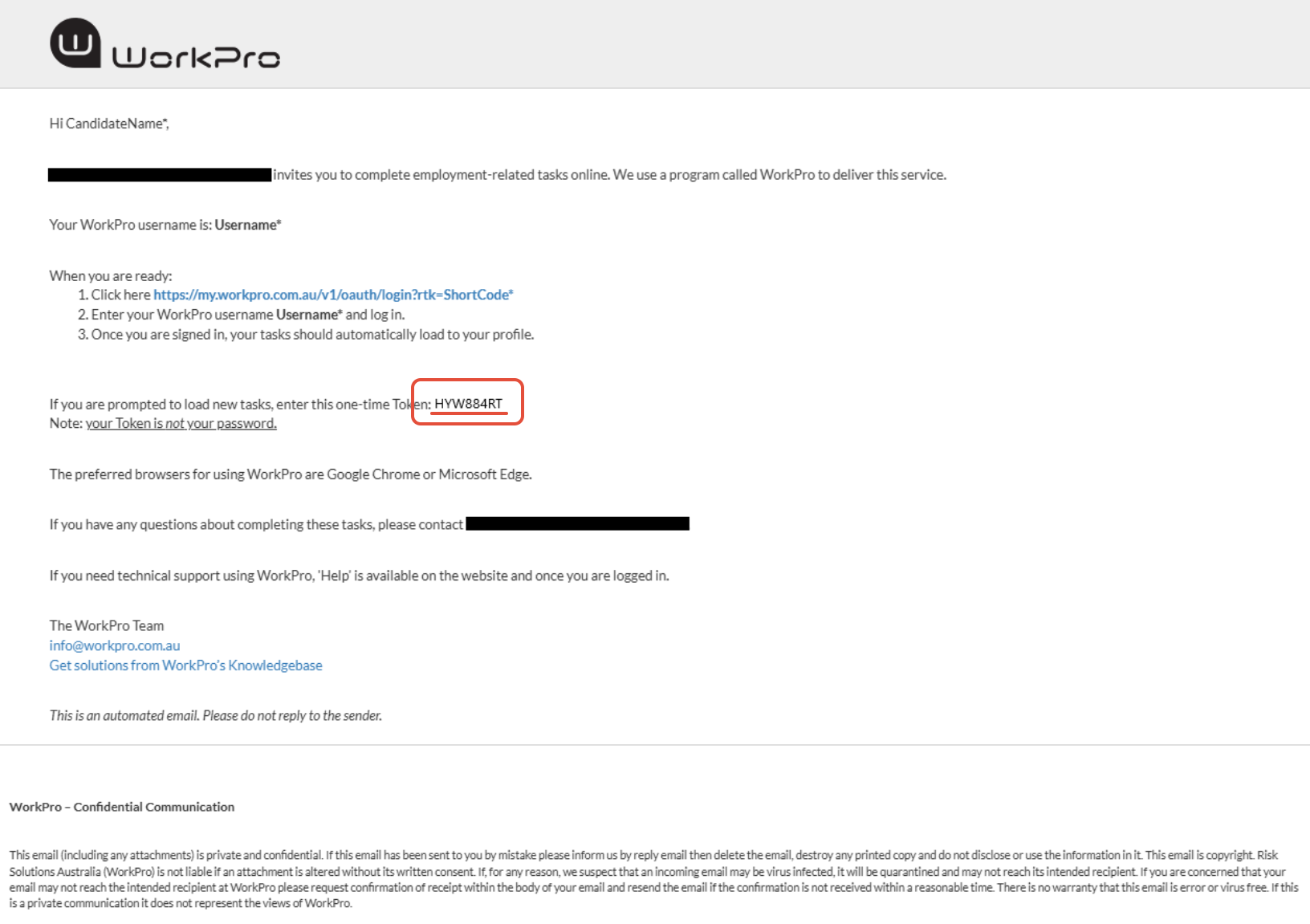
Please note: your Token is not your password. Refer to this article for instruction on how to sign up and create your password.
TABLE OF CONTENTS
Purpose
A WorkPro Token is a single-use Token unique to each candidate request. Any WorkPro tasks you have been asked to complete are associated with this Token.
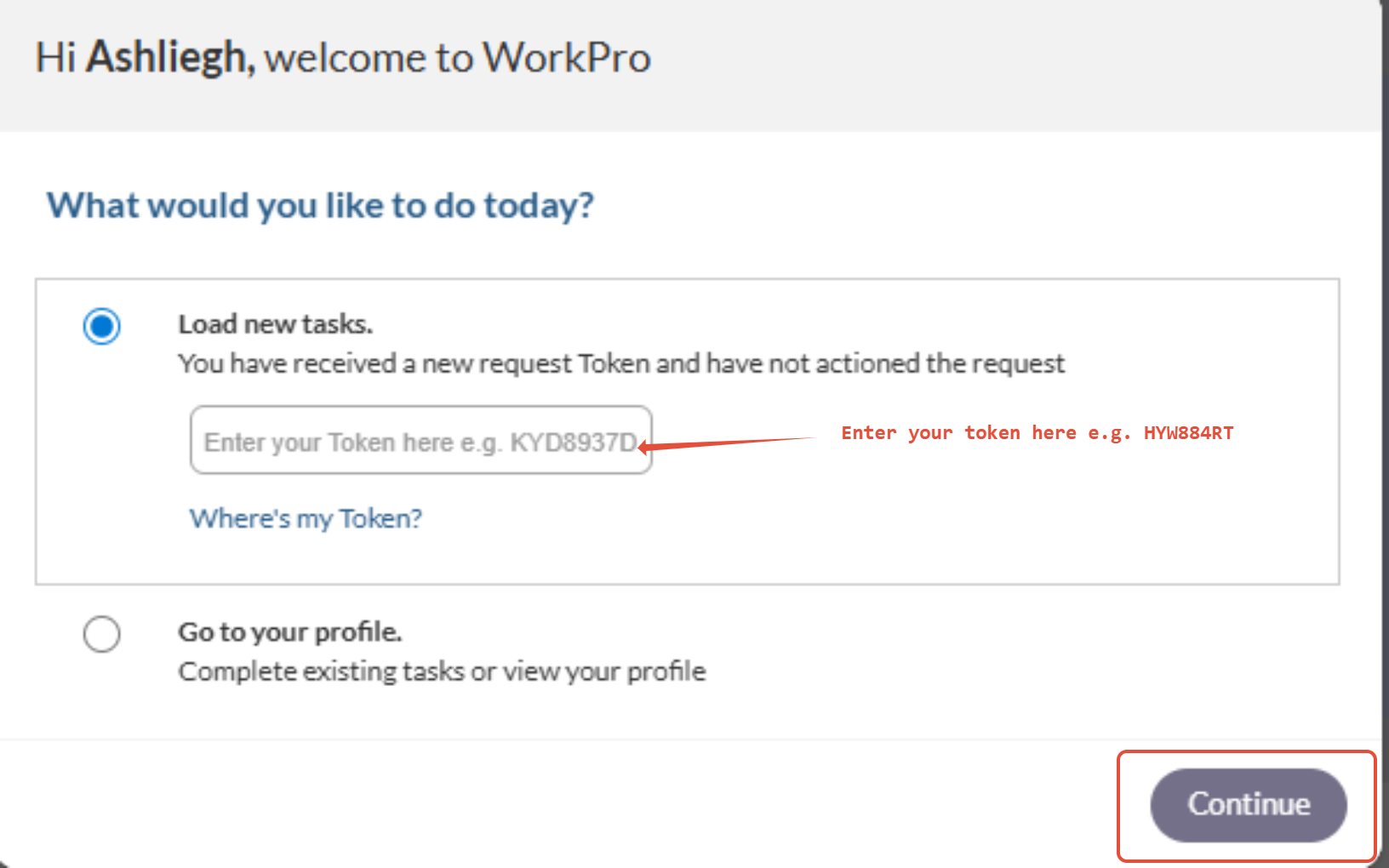
If you are prompted to enter your Token upon login, this article will guide you on how to enter your Token and load your WorkPro tasks for completion.
Who This Applies To
Candidates who have been asked to complete tasks in WorkPro.
How to Use
If you follow the URL/link from your WorkPro request email or SMS, your Token and associated tasks should automatically load to your profile upon login
A WorkPro Token is a unique, single-use code sent by a company or recruiter. It allows you to access tasks in your WorkPro account. A Token is not your password.
- Login to WorkPro with your Username and Password
- Select the Load new tasks option and enter your Token in the field
- Select Continue to start your session
- (optional) If you’ve already entered your Token previously, choose Go to your profile to see outstanding tasks
Tips
Ensure there are no extra spaces when pasting the code.
Tokens may be case-sensitive.
If a Token been used already, select Go to your profile to continue with existing/outstanding tasks.
If you see an error message, include a screenshot to support.
More Context
- You will not be able to complete any tasks in WorkPro without a Token, and WorkPro cannot issue you a Token.
- You will receive a Token either by text or email or verbally provided to you by your employer/Recruitment Agency.
- If you have not received a Token, you will need to contact the employer/Recruitment Agency to provide you with one.
Example email with Token below: